
A Performance Max campaign is a goal-based, AI-driven Google Ads campaign type that automatically delivers ads across every Google network from a single campaign to maximise conversions. Google officially calls this campaign type “Performance Max,” commonly shortened to PMax. Since replacing Smart Shopping and Local campaigns in late 2022, PMax has become Google’s default automated campaign format. If you are a digital marketer or business owner trying to get more from your ad budget, understanding how PMax works is no longer optional.
What is a Performance Max campaign and how does it work?
Performance Max is a unified campaign type that serves ads across Search, Shopping, YouTube, Display, Gmail, Discover, and Maps from a single campaign using AI. You set a conversion goal, provide creative assets, and Google’s algorithm handles the rest. That means no manual bidding across separate channels and no juggling multiple campaign types for the same product.
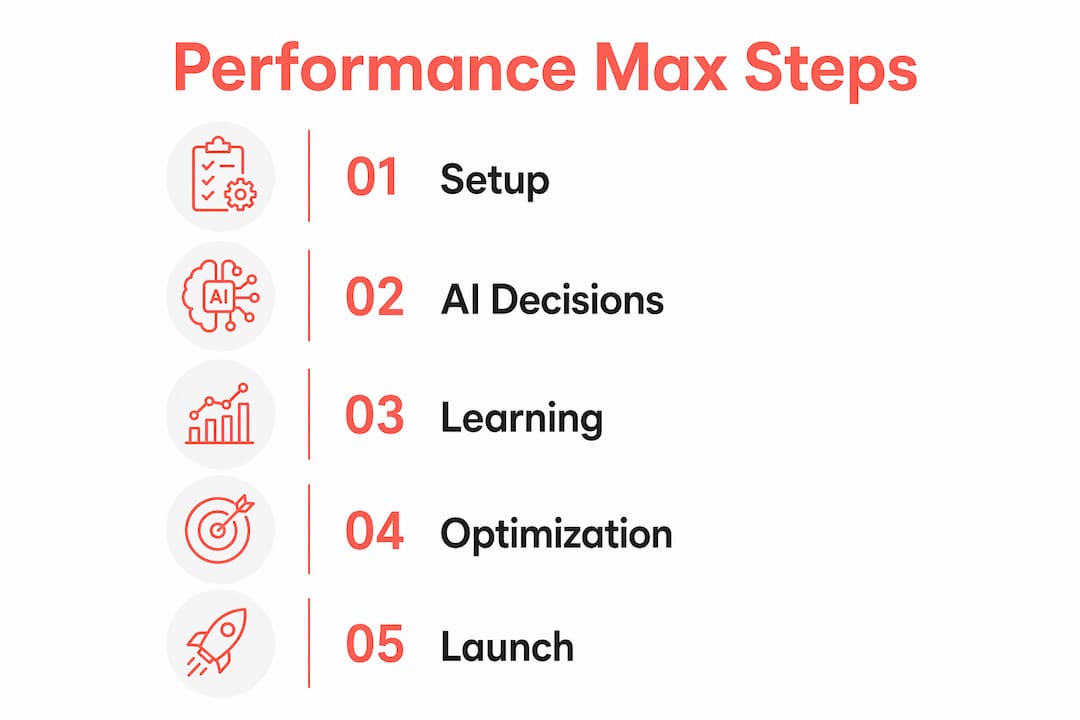
The AI engine makes three core decisions automatically: where to show your ads, when to show them, and how much to bid. It draws on your conversion tracking data, your asset groups, and any audience signals you provide. The more conversion data Google has access to, the better its decisions become over time.

Asset groups are the building blocks of every PMax campaign. Each asset group contains your headlines, descriptions, images, logos, and videos. Google mixes and matches these assets to build the most relevant ad for each placement and each user. If you skip video assets, Google auto-generates one from your images. Auto-generated videos are almost always lower quality than purpose-built ones.
Audience signals including first-party data and search themes help steer Google’s AI more effectively than micromanaging bids or placements. Think of audience signals as a starting point for the algorithm, not a hard filter. Google uses them to find similar users who are likely to convert, then expands from there.
Pro Tip: Set up conversion tracking before you launch. Without accurate conversion data, the AI has no signal to optimise toward and your campaign will underperform from day one.
The campaign goes through a learning phase after launch. During this period, the algorithm tests different asset combinations and placements to find what works. Expect performance to fluctuate for the first few weeks. Patience here pays off.
What are the benefits and limitations of Performance Max?
PMax delivers genuine advantages, but it also comes with real trade-offs. Understanding both sides helps you set realistic expectations before you commit budget.
The benefits are clear:
- All-in-one reach. One campaign covers Search, Shopping, YouTube, Display, Gmail, Discover, and Maps. You reach customers at multiple touchpoints without building separate campaigns for each channel.
- Time savings. Automated bidding, placement, and creative testing reduce the manual workload significantly. For small teams or solo operators, this matters.
- AI efficiency. Google’s algorithm processes signals at a scale no human can match. It adjusts bids in real time based on user behaviour, device, location, and intent.
- Lower barrier to entry. Marketers without deep channel expertise can run ads across all Google properties without needing specialist knowledge in each one.
The limitations are equally real:
- Reduced control. You cannot choose which placements your ads appear on. You cannot exclude specific channels within a PMax campaign.
- Limited transparency. Keyword and placement reporting is restricted, which makes it harder to understand exactly what is driving results.
- Asset dependency. The quality of your creative assets directly determines the quality of your ads. Weak images or generic copy produces weak results.
- Data prerequisites. PMax needs accurate conversion tracking, a clean product feed for eCommerce, and at least one video asset. Missing these harms campaign performance from the start.
“Advertisers hesitant about PMax’s ‘black box’ nature should focus on supplying high-quality first-party data to guide AI rather than micromanaging.” — WordStream
A common misconception is that PMax replaces all other campaign types. It does not. Maintaining manual brand search campaigns prevents cannibalisation and lets PMax focus on reaching new audiences. PMax works best as part of a broader account structure, not as a standalone solution.
Pausing and re-enabling PMax frequently resets the learning phase, leading to performance stagnation. An always-on approach is the right call. Treat PMax like a long-term investment, not a tap you turn on and off.
Performance Max vs traditional Google Ads campaigns: when to choose which?
The choice between PMax and separate campaign types is not about which is better in absolute terms. It is about which fits your situation.
| Factor | Performance Max | Separate campaigns |
|---|---|---|
| Channel coverage | All Google networks from one campaign | One channel per campaign |
| Bidding control | Fully automated | Manual or automated per campaign |
| Keyword transparency | Limited | Full visibility |
| Creative flexibility | Asset groups, AI-mixed | Ad-level control |
| Best for | Broad reach, limited teams, eCommerce | Compliance needs, granular messaging |
| Reporting depth | Campaign-level only | Channel and keyword level |
PMax excels when budgets are limited and broad reach is needed. If you are a small eCommerce business with one team member managing ads, consolidating into PMax saves time and often improves results. The AI does the heavy lifting across channels you might not have the capacity to manage individually.
Separate campaigns suit situations where you need granular control. A financial services advertiser with strict compliance requirements needs to control exactly where ads appear. A brand running a product launch with specific messaging cannot afford AI mixing headlines in unexpected combinations. For these scenarios, comparing PMax against Shopping or Search campaigns directly is worth the effort.
The smartest approach is usually a mix. Run PMax for prospecting and broad conversion goals. Run a manual brand Search campaign alongside it to protect your branded terms. This structure prevents PMax from cannibalising traffic you would have captured anyway and keeps your cost per acquisition honest.
Pro Tip: If you are running Google Shopping ads and considering PMax, review the value of Shopping campaigns first. PMax absorbs Shopping inventory, so understanding your Shopping performance baseline helps you measure the real impact of switching.
Experts caution against overestimating PMax as a fix-all. Sometimes adding structure rather than removing it improves account performance and control. If your account is underperforming in PMax, the answer is often better inputs, not more automation.
How to set up and optimise a Performance Max campaign for success
Setup takes roughly 20 minutes if Google Merchant Center is connected, but the campaign needs weeks of consistent runtime to fully stabilise AI learning. Getting the setup right from the start reduces the time it takes to reach stable performance.
Follow these steps in order:
- Link Google Merchant Center. For eCommerce, this is non-negotiable. Your product feed powers Shopping placements within PMax. A clean, complete feed with accurate titles, descriptions, and prices gives the AI better material to work with.
- Set your campaign goal and bidding strategy. Choose a conversion goal that matches your business objective. Target ROAS (return on ad spend) is the recommended bidding strategy for eCommerce once you have sufficient conversion data. Start with Maximise Conversions if your account is new.
- Build your asset groups. Upload at least five headlines, five descriptions, multiple images in different aspect ratios, your logo, and at least one video. More variety gives the AI more combinations to test. Higher quality assets produce better ad experiences.
- Add audience signals. Upload your customer list, website visitor audiences from Google Analytics 4, and relevant search themes. These signals do not restrict who sees your ads. They give the algorithm a head start in finding the right people.
- Configure conversion tracking. Every conversion action must be tracked accurately before launch. Use Google Tag Manager and Google Analytics 4 together for the most reliable setup. Inaccurate tracking produces inaccurate optimisation.
- Set your budget. Start with a budget that allows at least 10–15 conversions per week. Below that threshold, the algorithm does not have enough data to optimise effectively.
Pro Tip: Create purpose-built video assets even if they are simple. A 15-second product demonstration filmed on a smartphone outperforms an auto-generated slideshow video every time. Google prioritises campaigns with genuine video content.
Once live, monitor performance using the Insights tab and the Asset Group report in Google Ads. These tools show which asset combinations perform best and where your budget is going. Avoid making major changes during the learning phase. Changing budgets, bidding strategies, or asset groups resets the learning clock.
For a broader view of digital ad campaign best practices in 2026, including how PMax fits into a full-funnel strategy, the Moormarketing resource library covers this in depth.
Key takeaways
Performance Max campaigns deliver the broadest Google Ads reach available from a single campaign, but they require strong inputs, stable budgets, and realistic expectations to perform well.
| Point | Details |
|---|---|
| PMax covers all Google networks | One campaign serves Search, Shopping, YouTube, Display, Gmail, Discover, and Maps automatically. |
| AI needs quality inputs | Accurate conversion tracking, a clean product feed, and real video assets are prerequisites for strong performance. |
| Learning phase requires stability | Frequent pausing resets AI learning; an always-on approach produces the best long-term results. |
| PMax complements manual campaigns | Keep a manual brand Search campaign running alongside PMax to prevent cannibalisation of branded traffic. |
| Separate campaigns still have a place | Compliance needs, granular messaging, and channel-level reporting favour traditional campaign structures over PMax. |
Performance Max in practice: what I have actually seen work
The biggest mistake I see digital marketers and business owners make with PMax is treating it like a set-and-forget solution. It is not. The automation handles execution, but strategy still requires human judgement.
When PMax works well, it is because the advertiser has done the hard work upfront. Strong creative assets, a well-structured product feed, and a customer list loaded as an audience signal. The AI has something real to work with. When it struggles, it is almost always because one of those inputs is missing or weak.
The “black box” criticism is fair, but it is also a bit of a distraction. Yes, you cannot see every placement decision the algorithm makes. What you can see is whether conversions are coming in at the right cost. That is the metric that matters. Focus your energy on improving your inputs rather than trying to reverse-engineer the algorithm’s decisions.
One thing I have learned from working with eCommerce brands is that patience through the learning phase separates successful PMax campaigns from abandoned ones. Most advertisers who quit early do so in week two or three, right before the algorithm finds its footing. Give it six weeks of consistent budget before drawing conclusions.
The Google Ads ecosystem is evolving fast. PMax will get more transparent reporting tools over time. Google has already added search term insights and asset group reporting. The direction is toward more visibility, not less. Marketers who build their PMax skills now will be better positioned as those tools improve.
— Liza
How Moormarketing can help with your Performance Max strategy
Running a Performance Max campaign well requires more than following a checklist. It requires knowing when to trust the algorithm and when to intervene, which assets to prioritise, and how PMax fits into your broader Google Ads account structure.
Moormarketing works directly with eCommerce businesses to build and manage Google Ads strategies that produce real revenue results. The team has driven $3 million a month for a global furniture brand and $2 million a month for a new toy retailer using data-driven ad strategies, including Performance Max. The eCommerce marketing workshops cover PMax setup, asset creation, and campaign structure in practical, hands-on sessions. If you want expert guidance on getting your Google Ads campaigns performing at their best in 2026, Moormarketing’s senior strategists work with you directly, no outsourcing.
FAQ
What is a Performance Max campaign in Google Ads?
A Performance Max campaign is a single, AI-driven Google Ads campaign type that automatically serves ads across Search, Shopping, YouTube, Display, Gmail, Discover, and Maps to maximise conversions based on your goals.
How long does the Performance Max learning phase last?
The learning phase typically lasts several weeks. Pausing and restarting the campaign resets this phase, so maintaining consistent budget and settings is critical for stable performance.
Do I need video assets for Performance Max?
You do not need video assets to launch, but they are strongly recommended. Without video, Google auto-generates one from your images, and auto-generated videos consistently underperform purpose-built creative.
Should Performance Max replace my existing Search campaigns?
No. Performance Max works best alongside a manual brand Search campaign. Running both prevents PMax from cannibalising branded traffic and keeps your overall cost per acquisition accurate.
What budget do I need to run Performance Max effectively?
Google does not publish a minimum budget, but the algorithm needs enough conversions to optimise. Aim for a budget that generates at least 10–15 conversions per week to give the AI sufficient data to work with.