
A tracking pixel is defined as a tiny, invisible image or JavaScript snippet embedded in a webpage or email that fires a request to a marketing platform the moment a user loads the page or completes an action. Understanding pixel tracking is the foundation of every conversion measurement strategy in digital advertising. Without it, ad platforms cannot attribute sales to campaigns, retargeting audiences go cold, and budget decisions rely on guesswork. This guide explains how digital ad tracking works from the technical mechanics through to hybrid implementation strategies that hold up in 2026’s privacy-first environment.
How does pixel tracking work in digital ads?
A tracking pixel fires the instant a browser loads a page. The browser sends an HTTP request to the pixel’s host server, and that request carries a payload of data including cookies, the referring URL, user agent string, IP address, and any custom event parameters you have configured. The platform receives this data, matches it to a user profile, and records the event.
The most common pixel use cases are page views, add-to-cart events, checkout initiations, and purchase completions. Each event type carries different parameters. A purchase event, for example, passes the order value, currency, and product IDs alongside the standard user identifiers. This granularity is what lets ad platforms build lookalike audiences and optimise bidding toward buyers rather than browsers.

Browser-based pixels and in-app tracking work differently. Browser pixels rely on cookies and JavaScript execution. In-app tracking uses SDKs that communicate directly with platform APIs, bypassing the browser entirely. The distinction matters because browser environments face far more restrictions than app environments, which affects how much data actually reaches your ad platform.
| Method | Data capture rate | Ad blocker impact | Cookie dependency |
|---|---|---|---|
| Client-side pixel | 40–60% | High | Yes |
| Server-side API | 80–95% | None | No |
| Hybrid (pixel + API) | 80–95% | Low | Partial |
Pro Tip: Always fire your pixel on the confirmation page after a purchase, not on the payment page. Firing on the payment page counts initiated checkouts as conversions, which inflates your numbers and corrupts your bidding data.
What are the current limitations facing pixel tracking?
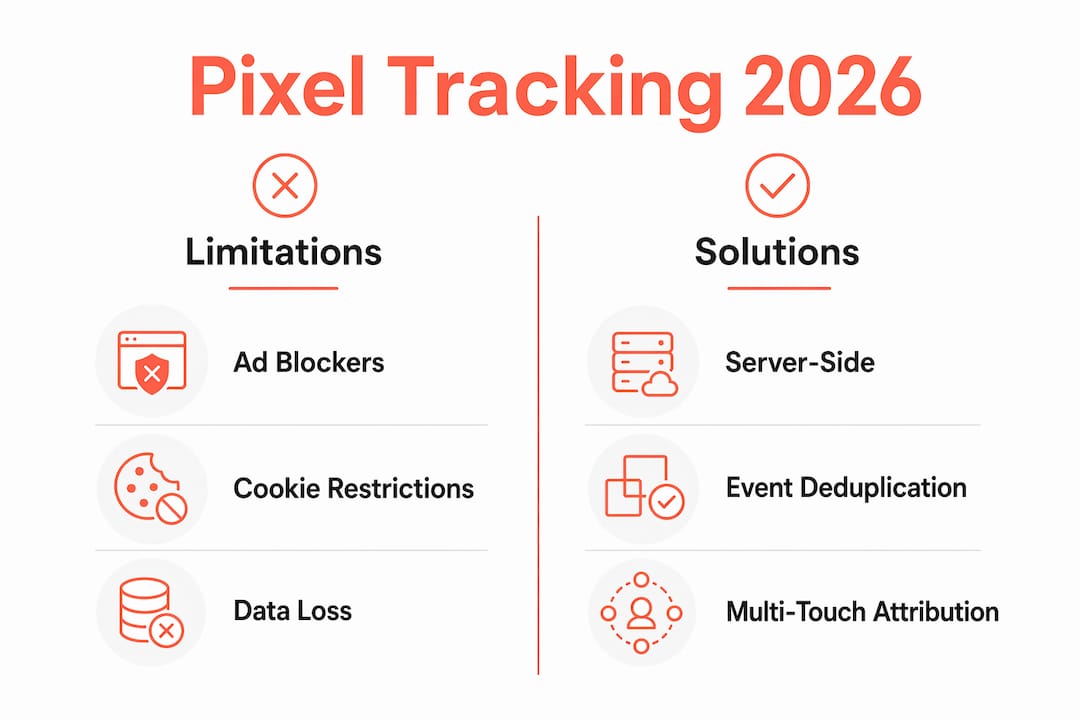
Browser-only pixel tracking captures only 40–60% of conversions in 2026 due to ad blockers and browser privacy restrictions. That means up to six in ten purchases may go unrecorded if you rely on pixels alone. The gap between actual revenue and reported conversions is the most expensive blind spot in digital advertising.
Approximately 30–40% of internet users employ ad blockers that prevent pixels from firing entirely. Safari’s Intelligent Tracking Prevention (ITP) further limits cookie lifespans to as little as 24 hours, which breaks attribution windows for campaigns that run across multiple days. Firefox applies similar restrictions by default.
GDPR and equivalent privacy laws require explicit user consent before a pixel fires or transmits data to external servers. This is not optional. Firing a pixel before a user accepts your consent banner is a compliance breach, regardless of where your business is based, if you are serving European users. Australian businesses targeting EU customers must meet the same standard.
The compliance and privacy considerations every marketer must address:
- Implement a consent management platform (CMP) that blocks pixel firing until consent is granted.
- Audit all pixels on your site quarterly to confirm none fire before consent.
- Document your data processing agreements with each ad platform.
- Apply data minimisation: only pass the parameters each platform actually needs.
- Review your privacy policy to accurately describe what data pixels collect and where it goes.
Pixels are now considered the most degraded signal in the ad stack. Marketers who have not moved beyond pixel-only measurement are working with a fundamentally incomplete picture.
How to set up pixel tracking effectively in 2026
Google Tag Manager allows you to manage multiple marketing pixels without touching your website’s HTML directly. You install one GTM container snippet on your site, then deploy, update, and pause individual pixels from the GTM interface. This approach reduces developer dependency and cuts the time to launch a new pixel from days to minutes.
The practical steps for a solid pixel implementation:
- Install Google Tag Manager on every page of your site using the container snippet in the
<head>and<body>tags. - Create a tag in GTM for each platform pixel (Meta, Google Ads, TikTok, and so on) and set the trigger to “All Pages” for the base pixel.
- Add event tags for key conversion actions: purchase, add to cart, lead form submission, and checkout initiation.
- Pass event parameters with each conversion tag: order value, currency, product ID, and a unique event ID.
- Verify each pixel using Meta Pixel Helper or Google Tag Assistant before going live.
- Connect your server-side tracking (Conversions API or Google’s Enhanced Conversions) and configure event deduplication using shared event IDs.
- Check Event Match Quality scores in Meta Events Manager. Scores between 8 and 10 indicate your pixel is passing enough customer data for accurate attribution. Scores below 4 signal a serious data gap.
Passing hashed customer data such as email address, phone number, and user agent in your pixel event payloads is critical for high Event Match Quality. Hashing protects the raw data while still giving the platform enough signal to match events to real users. This single step often produces the largest improvement in retargeting audience quality.
Pro Tip: Capture the fbclid parameter from Meta ad clicks and the gclid from Google Ads clicks. Pass both parameters server-side with your conversion events. This ties your server-side data directly to the original ad click and significantly improves attribution accuracy.
Google Analytics 4 and Google Ads integration lets you set custom conversion events and analyse traffic sources using pixel data. Linking GA4 to your Google Ads account means your campaign bidding can optimise toward real purchase events rather than proxy metrics like session duration. For eCommerce retargeting, this connection is foundational. You can read more about applying these signals in a full ecommerce retargeting strategy to see how pixel data feeds audience segmentation.
What is server-side tracking and why does it matter?
Server-side tracking sends conversion data directly from your server to the ad platform’s API, bypassing the browser entirely. The browser never touches the tracking request, so ad blockers, ITP, and cookie restrictions have no effect. The data arrives cleaner, richer, and more reliably than anything a browser pixel can deliver alone.
Meta and Google now use hybrid data signals that combine pixel events with Conversions API data for their attribution models. This is not a future trend. It is the current standard. Running pixel-only tracking in 2026 means you are feeding your ad platform a deliberately incomplete dataset and then wondering why your ROAS looks lower than your actual revenue suggests.
The advantages of adding server-side tracking to your pixel setup:
- Bypasses ad blockers completely, recovering conversions that browser pixels miss.
- Removes dependence on third-party cookies for event matching.
- Allows richer parameter passing including order details, customer lifetime value, and custom signals.
- Improves data reliability for platform machine learning and automated bidding.
- Keeps sensitive customer data off the browser, reducing exposure to third-party scripts.
Event deduplication is the mechanism that prevents the same conversion from being counted twice when both your pixel and your server-side API fire for the same event. You assign a unique event ID to each conversion on your server, pass that ID through both the pixel and the API call, and the platform uses it to merge the two signals into a single event. Without deduplication, your reported conversions will be inflated and your cost-per-acquisition figures will look artificially low.
Ad tracking has shifted from relying on third-party cookies and pixels to a focus on first-party data and multi-touchpoint attribution modelling. The marketers who adapt to this shift gain a structural advantage in attribution accuracy. Those who do not will see their ad platforms optimise toward noise rather than signal. Tools like AI-driven ad creative platforms are also beginning to integrate tracking signals directly into their testing workflows, which makes clean event data even more valuable.
How to monitor and troubleshoot your pixel setup
A pixel that fires incorrectly is worse than no pixel at all. Duplicate pixels inflate conversion counts, corrupt bidding algorithms, and produce attribution data you cannot trust. Regular audits prevent these problems before they compound.
The most common pixel problems and how to address them:
- Duplicate pixel fires: Use GTM’s preview mode to confirm each tag fires exactly once per event. Two purchase tags firing on the same confirmation page will double your reported conversions.
- Missing event parameters: Check Meta Events Manager or Google Tag Assistant for parameter warnings. A purchase event without an order value passes no useful signal for value-based bidding.
- Pixel not firing on mobile: Test on actual mobile devices, not just desktop browser emulation. Some GTM triggers behave differently on mobile browsers.
- Consent blocking all events: If your CMP is blocking pixels before consent but you have no fallback, you are losing all data from users who decline. Server-side tracking with anonymised signals can partially recover this.
- Low Event Match Quality: Add hashed email and phone number to every conversion event payload. This is the fastest way to lift a low score.
Pro Tip: Install the Meta Pixel Helper Chrome extension and walk through your own purchase funnel monthly. It shows you exactly which events fire, what parameters they carry, and any errors in real time. Treat it as a routine health check, not a one-off setup tool.
For dynamic product advertising, pixel accuracy is especially critical because the product catalogue feed and the pixel events must align. A mismatch between product IDs in your pixel events and your catalogue will break dynamic ad delivery entirely. Emerging AI-based campaign analytics tools are beginning to flag these mismatches automatically, which reduces the manual audit burden for larger catalogues.
Key takeaways
Pixel tracking in digital ads delivers reliable conversion data only when browser-based pixels are combined with server-side API tracking and proper event deduplication.
| Point | Details |
|---|---|
| Pixel capture rate | Browser-only pixels capture just 40–60% of conversions; hybrid setups reach 80–95%. |
| Consent compliance | Pixels must not fire before explicit user consent under GDPR and equivalent laws. |
| Server-side advantage | Server-side tracking bypasses ad blockers and cookie restrictions, improving data reliability. |
| Event deduplication | Use shared event IDs across pixel and API calls to prevent double-counting conversions. |
| Event Match Quality | Aim for scores of 8–10 by passing hashed email, phone, and user agent with every event. |
Why pixel-only tracking is a liability, not a strategy
I have audited enough ad accounts to say this plainly: pixel-only reporting dashboards are the most common source of false confidence in digital marketing. The numbers look clean. The ROAS looks strong. But when you cross-reference with actual revenue in the eCommerce backend, the gap is often 30–50%. That gap is not a rounding error. It is a structural measurement failure.
The marketers I see getting this right are not necessarily running the most sophisticated tech stacks. They are doing three things consistently. They have a server-side Conversions API running alongside their pixel. They check Event Match Quality scores every week and treat anything below 6 as a priority fix. And they have stopped treating their ad platform’s reported conversions as ground truth. They use it as one signal among several, cross-referenced against their actual order data.
The privacy trend is not reversing. Safari ITP is not going away. Ad blockers are not declining. The question is not whether to adapt. The question is how quickly you can shift your measurement infrastructure toward first-party data and server-side signals before your competitors do it first. The digital ad campaign best practices that worked in 2022 are not the ones that will protect your attribution accuracy now.
— Liza
How Moormarketing helps you get pixel tracking right
Pixel tracking errors cost eCommerce businesses real revenue every day, not through dramatic failures, but through quiet under-reporting that skews bidding and misdirects budget. Moormarketing works directly with eCommerce brands to audit pixel setups, implement server-side tracking, and build measurement frameworks that hold up under real-world privacy constraints.

The team at Moormarketing does not outsource this work. Senior strategists handle every implementation, from GTM configuration through to Conversions API setup and Event Match Quality optimisation. If you want to understand exactly where your tracking is leaking and how to fix it, the eCommerce marketing workshops cover pixel implementation, server-side tracking, and attribution strategy in practical, hands-on sessions built for marketers who need results, not theory.
FAQ
What is a tracking pixel in digital advertising?
A tracking pixel is a tiny, invisible image or JavaScript snippet embedded in a webpage that fires an HTTP request to a marketing platform when a user loads the page or completes an action. It collects data including cookies, IP address, and event parameters to support conversion tracking and ad attribution.
Why is pixel tracking less reliable in 2026?
Browser-based pixels now capture only 40–60% of conversions due to ad blockers, Safari ITP cookie restrictions, and GDPR consent requirements that block pixels from firing without user approval. Combining pixels with server-side tracking recovers much of this lost data.
What is the difference between client-side and server-side tracking?
Client-side tracking fires from the user’s browser and is subject to ad blockers and cookie restrictions. Server-side tracking sends data directly from your server to the ad platform’s API, bypassing browser limitations entirely and delivering more complete conversion data.
How do I avoid counting conversions twice with hybrid tracking?
Use event deduplication by assigning a unique event ID to each conversion and passing that same ID through both your browser pixel and your server-side API call. The ad platform uses the shared ID to merge the two signals into a single recorded event.
What is Event Match Quality and why does it matter?
Event Match Quality is a score used by platforms like Meta to measure how well your pixel events can be matched to real user profiles. Scores between 8 and 10 produce the best retargeting and attribution results. Scores below 4 indicate that critical parameters like hashed email or phone number are missing from your event payload.