
Build a three-email browse abandonment flow that prioritises the last product a shopper viewed, opens with a curiosity-led subject line inside 4 to 8 hours, then follows up with proof and a light incentive. That sequence, run on Klaviyo, Omnisend, Drip, or ActiveCampaign, is the fastest path to recovering revenue from shoppers who looked but didn’t buy.
Here’s the compact plan:
- Trigger: fire on a “Viewed Product” event, not a page load, and exclude anyone who added to cart or reached checkout.
- Timing: email one lands within 4 to 8 hours, email two at 24 hours, email three at 48 to 72 hours.
- First email focus: the exact product last viewed, one clear call to action, no discount.
Before you flip the flow live, run this quick QA pass:
- Confirm Viewed Product tracking is separate from add-to-cart tracking in your event data.
- Check the flow only enters shoppers who meet an identification condition (known email, logged-in profile, or matched cookie).
- Test the dynamic product block with three different products to make sure images and prices populate correctly.
- Preview on mobile, since most browse-abandonment opens happen on a phone.
Key Takeaways
Browse abandonment emails recover revenue from shoppers who never added to cart, and the flow only works when tracking, timing, and segmentation are all set up correctly together.
| Point | Details |
|---|---|
| Build a 3-email flow | Trigger on Viewed Product, send within 4 to 8 hours, follow with social proof and a light incentive. |
| Exclude cart and checkout events | Filter these out of the trigger condition to avoid emailing customers mid-purchase. |
| Prioritise one product | Feature the last-viewed or longest-viewed item, not every page a shopper saw. |
| Test before you scale | Run subject-line, personalisation, and incentive tests with enough volume to trust the result. |
| Get expert setup support | Moormarketing builds and optimises browse abandonment flows as part of its ecommerce growth strategy work. |
Table of Contents
- What is a browse abandonment email?
- What do effective browse abandonment emails actually look like?
- How do you build a browse abandonment flow?
- How should you segment and personalise browse abandonment emails?
- What’s the best timing and cadence for these flows?
- What subject lines and templates should you use?
- How do you implement browse abandonment tracking on each platform?
- What privacy and consent rules apply to browse tracking?
- What metrics should you track and test?
- Two ready-to-copy flow blueprints
- What actually works once you’ve run a few of these flows
- How Moor Marketing helps you build and scale this
- Where to go for deeper setup and examples
- Sources
What is a browse abandonment email?
A browse abandonment email fires when someone views a product or category page and leaves without adding anything to their cart. That’s the key difference from a cart abandonment email, which triggers only after an item sits in the cart unpurchased. Browse abandonment catches an earlier, softer signal of intent, which means the messaging has to work harder to justify the follow-up.
The audience gap between the two is bigger than most marketers expect. Browse abandoners vastly outnumber cart abandoners because far more people look than add to cart, but reach is smaller in practice because identifying an anonymous browser is harder than identifying someone who has already entered checkout details. You need a cookie match, a logged-in session, or a previously captured email to send anything at all.
That identification gap shapes the whole strategy. A cart abandonment email can safely reference “the item in your cart” because the shopper explicitly signalled purchase intent. A browse abandonment email is talking to someone who might have been comparison shopping, killing time, or genuinely close to buying, so the tone needs to read as helpful rather than presumptuous. Klaviyo’s analysis of browse abandonment performance confirms these flows produce solid open rates and real revenue per recipient, but they convert at a lower rate than cart abandonment flows. That’s expected. Treat it as a volume play, not a precision play.
What do effective browse abandonment emails actually look like?
The best examples don’t sell hard. They remind, reassure, or add a reason to come back, and each one leans on a different psychological trigger.
Curiosity-led:
Subject: “Still thinking about it?”
Body: “We noticed you were checking out the [Product Name]. It’s one of our most-viewed styles this month. Take another look before it’s gone.”

Educational:
Subject: “A few things to know before you buy”
Body: “The [Product Name] you viewed comes with a fit guide and a 30-day return window. Here’s what other customers say helped them decide.”
Social proof:
Subject: “800 people bought this last month”
Body: “You’re not the only one eyeing the [Product Name]. Here’s what real customers are saying, plus a size chart if that’s what’s holding you back.”
Light incentive (use sparingly, later in the sequence):
Subject: “A small nudge to help you decide”
Body: “Still deciding on the [Product Name]? Here’s 10% off if you’re ready to make it yours.”
A few notes on why each works:
- Curiosity subject lines outperform ones that name the exact product or lead with a discount, according to Klaviyo’s review of over 1,000 browse abandonment emails.
- Social proof works well in email two, once the shopper has had time to think but before they’ve moved on entirely.
- Incentives belong last, not first. Leading with a discount trains shoppers to wait for one every time, which erodes margin over time.
On design, keep it simple: one hero product image, one headline, one CTA button above the fold, and secondary content (reviews, sizing, related products) below. Most opens happen on mobile, so stack elements vertically and keep the CTA button large enough to tap without zooming.
How do you build a browse abandonment flow?
The mechanics are the same across platforms, even though the interface differs. Here’s the sequence:
- Set the trigger. Use a “Viewed Product” event, captured either through your platform’s native tracking (Shopify’s customer events, Klaviyo’s tracked metrics) or a custom script that fires on product-page load.
- Add an identification condition. Only enter shoppers into the flow if they’re identifiable, meaning a known email, a matched profile, or a first-party cookie tied to a previous signup. Anonymous, never-identified visitors can’t receive email, so they need to be caught through retargeting ads instead.
- Exclude conflicting events. Add a filter that removes anyone who added to cart, started checkout, or purchased within the trigger window. This is the single most common technical mistake in browse abandonment setups: without it, you’ll email someone who’s already mid-checkout, which looks broken and damages trust.
- Build the dynamic content block. Populate the email with the last-viewed product’s image, name, price, and a direct link back to that product page.
- Set a fallback. If the dynamic block can’t populate (deleted product, out of stock, broken feed), default to a best-seller or a category page instead of leaving a blank space.
- Schedule the sequence. Space three emails across roughly 72 hours, tapering the send frequency as urgency drops.
- Test before launch. Trigger the flow manually with a test profile and confirmthe dynamic content, links, and fallback all render correctly.
Quick QA checklist before going live:
- Viewed Product events are firing correctly and distinctly from cart events.
- The identification condition doesn’t accidentally exclude your entire subscriber base (a common bug when cookie consent settings are too strict).
- Dynamic content has a tested fallback for out-of-stock or deleted products.
- Unsubscribe and preference links work and match your platform’s compliance requirements.
- The flow doesn’t overlap with an active cart abandonment flow for the same customer.
How should you segment and personalise browse abandonment emails?
Segmentation is where most browse abandonment flows either earn their keep or annoy the exact shoppers they’re trying to win back.
The first decision point is simple but often skipped: when a shopper views multiple products in one session, do you feature the last one viewed or the longest-viewed one? Generally, prioritise the last product viewed for the first email, since it’s freshest in the shopper’s mind, and switch to the longest-viewed product (measured by dwell time) if that data is available and significantly different from the last click. A shopper who spent four minutes on a jacket and ten seconds on a t-shirt on the way out almost certainly cares more about the jacket.
For sessions spanning several categories, don’t try to cram every viewed item into one email. That reads as generic mass-marketing rather than a personal nudge, and it dilutes the message. Pick the single highest-signal product and build the email around it, with a secondary “you might also like” block if you want to nod to the rest.
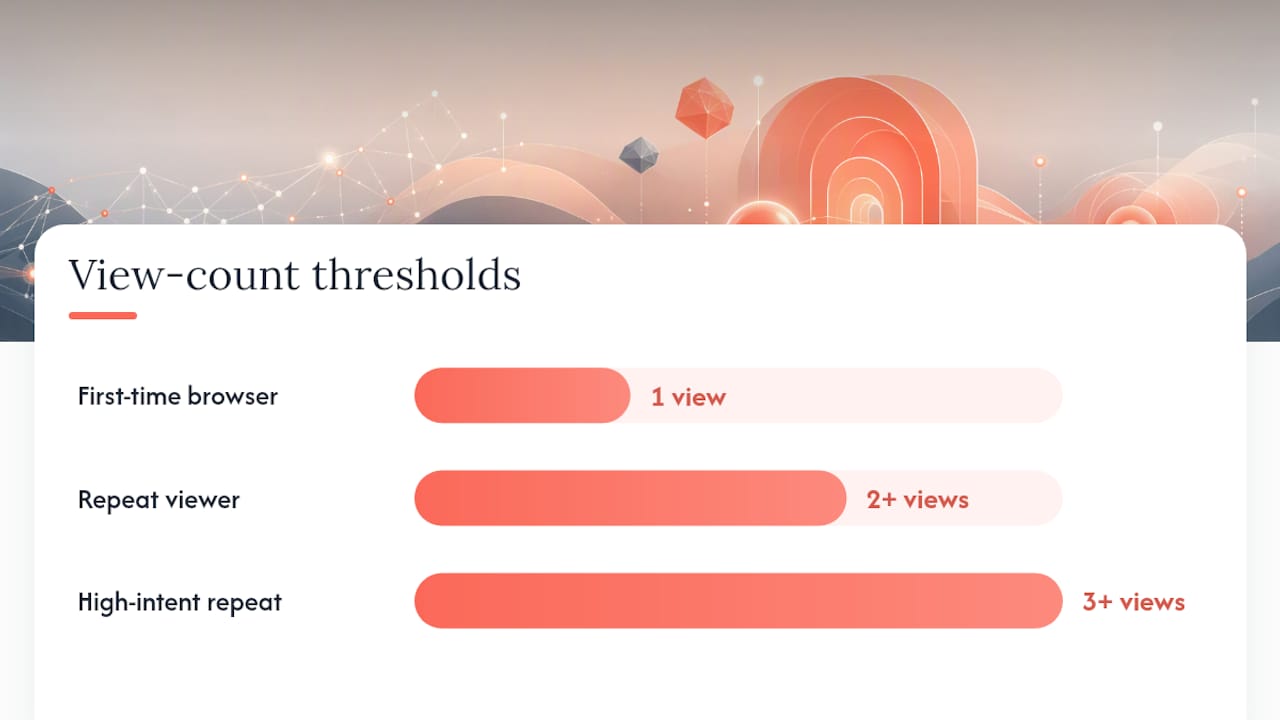
| Segment | Behaviour | Recommended tactic |
|---|---|---|
| First-time browser | Viewed once, no purchase history | Educational tone, brand introduction, no discount |
| Repeat viewer | Viewed same product 2+ times, no purchase | Social proof, urgency framing, light incentive on final touch |
| High-intent repeat views | Viewed same product 3+ times across sessions | Direct CTA, sizing/fit help, faster send timing (within 2 to 4 hours) |
| Multi-category browser | Viewed products across unrelated categories | Feature highest dwell-time item, add general “trending now” block |
Pro Tip: Cap personalisation at one clearly featured product per email. Trying to reflect every page a shopper viewed in a single message usually backfires, it starts to feel like surveillance rather than helpfulness, and click-through rates tend to drop when emails look cluttered with five different products competing for attention.
What’s the best timing and cadence for these flows?
Speed matters, but so does restraint. Send too fast and you risk feeling intrusive; send too slow and the shopper has already bought elsewhere or forgotten why they cared.
- Email one (4 to 8 hours after the browse event): curiosity-led subject line, single featured product, no discount.
- Email two (24 hours later): social proof or educational angle, still centred on the same product unless a fallback is needed.
- Email three (48 to 72 hours later): light incentive or a final direct nudge, optionally paired with an SMS reminder if the shopper has opted into SMS.
| Cadence style | Best for | Send pattern |
|---|---|---|
| Aggressive | Lower-cost, high-volume, impulse categories (apparel, accessories) | 4 hours, 24 hours, 48 hours |
| Conservative | High-ticket, considered purchases (furniture, electronics, education products) | 12 hours, 48 hours, 5 to 7 days |
High-ticket items need room to breathe. Nobody buys a $2,000 sofa on impulse after one email, so a conservative cadence with educational content (materials, warranty, delivery timelines) tends to outperform an aggressive push.
Throttle frequency across your whole email program, not just this flow. If a shopper is also in a welcome series or a promotional campaign, stacking a browse abandonment flow on top can push send volume past what’s tolerable, which hurts deliverability and brand perception. Most platforms let you set suppression rules so a contact doesn’t receive more than one automated email per day regardless of how many flows they’ve triggered.
What subject lines and templates should you use?
Here are four full templates you can adapt directly, plus a subject-line bank for testing.
Template 1 — Curiosity (Email 1)
Subject: “Still on your mind?”
Preview text: “You checked this out earlier. Take another look.”
Body: “Hey [First Name], we noticed you were browsing [Product Name] earlier. It’s still there, still in your size, and still worth a second look. Tap below to pick up where you left off.”
CTA: “Take Another Look”
Template 2 — Social proof (Email 2)
Subject: “You weren’t the only one looking at this”
Preview text: “See what other customers are saying.”
Body: “[Product Name] has been one of our most-viewed items this week. Here’s what customers who bought it are saying, plus everything you need to know about sizing and returns.”
CTA: “Read Reviews & Shop”
Template 3 — Educational (Email 2 alternative)
Subject: “A quick guide before you decide”
Preview text: “Fit, materials, and shipping details, all in one place.”
Body: “Deciding on [Product Name]? Here’s our quick guide covering fit, fabric, and how our 30-day returns work, so you can buy with confidence.”
CTA: “See the Guide”
Template 4 — Light incentive (Email 3)
Subject: “A small thank-you if you’re ready”
Preview text: “10% off, just for you.”
Body: “Still thinking about [Product Name]? This offer’s active for 48 hours.”
CTA: “Claim Your Discount”
Subject-line bank for testing (short and curiosity-led tends to win, per Klaviyo’s subject-line research):
- “Still thinking it over?”
- “This one’s still available”
- “A second look, on us”
- “You left something behind”
- “Worth a revisit?”
- “Quick reminder from [Brand]”
Design checklist before you launch:
- Hero product image loads correctly on both desktop and mobile clients.
- Dynamic product block includes a fallback image and price for out-of-stock items.
- CTA button sits above the fold and is large enough to tap on a small screen.
- Body copy stays under roughly 100 words for the first email; save detail for email two and three.
How do you implement browse abandonment tracking on each platform?
Every major platform supports browse abandonment, but the setup steps and terminology differ.
- Shopify: native customer events capture product-page views, and Shopify Flow lets you build conditional logic (viewed but didn’t add to cart) without custom code. Shopify’s own guidance on combining automated follow-ups with retargeting is worth reading before you build, since it frames email and paid ads as complementary rather than competing channels.
- Klaviyo: uses a “Viewed Product” metric, tracked automatically through the Klaviyo pixel on most Shopify and WooCommerce integrations. Flows are built with a trigger split, checking whether the profile also has an “Added to Cart” event in the same session to avoid overlap.
- Omnisend: offers a pre-built browse abandonment automation template with drag-and-drop conditions for time-since-view and product category, plus native dynamic product blocks.
- Drip: tracks page visits as events and lets you build workflows off custom event rules; it requires slightly more manual configuration than Klaviyo or Omnisend but gives finer control over multi-condition logic.
- ActiveCampaign: uses site tracking scripts to log page visits, then automation “if/else” conditions route contacts based on viewed products, with dynamic content blocks pulling product data via integration with your store.
Developer checklist for whichever platform you use:
- Confirm the Viewed Product event fires on the product page, not the collection page, so targeting stays specific.
- Make sure the event payload includes product ID, name, image URL, and price, since dynamic blocks need all four.
- Set an explicit exclusion rule for Added to Cart and Checkout Started events within the same session.
- Build a fallback path (best-seller block or category link) for any session where product data fails to populate.
- Test with both a logged-in profile and a cookie-only anonymous session to confirm identification logic works both ways.
If your platform can’t reliably fire browse events (a common issue with older themes or heavily customised checkouts), fall back to session capture through a form fill, a login, or a discount pop-up that captures email, then use progressive identification to tie later browsing behaviour back to that profile. Server-side event tracking is a more robust fallback for stores running into ad-blocker or cookie-consent interference, since it logs the event through your backend rather than relying purely on browser-side scripts.
What privacy and consent rules apply to browse tracking?
Tracking product views and emailing based on that behaviour sits in a genuinely grey area for a lot of marketers, so get the basics right before you scale the flow.
- Only track and email based on first-party data collected directly through your own site, not third-party data bought or scraped from elsewhere.
- Respect cookie consent banners. If a visitor declines tracking cookies, you can’t ethically or, in some jurisdictions, legally build a browse abandonment profile from their session.
- Make sure the email itself only goes to contacts who’ve given marketing consent, separate from any tracking consent. A shopper can allow product-view tracking without agreeing to receive marketing email, and platforms should keep those permissions distinct.
- Some browse abandonment messages can be classed as transactional if they’re purely functional (a wishlist reminder tied to an account setting, for example), but most browse abandonment emails are marketing communications and need to follow the same opt-in and unsubscribe rules as any promotional send. Don’t assume a browse trigger exempts you from marketing consent requirements. Check the rules that apply in your own market, since transactional versus marketing classification affects the legal basis you need.
Pro Tip: Store the minimum identifiers you actually need (a hashed email or profile ID, the product ID, and a timestamp), rather than a full browsing history. It keeps your data footprint smaller, simplifies audits, and reduces what you’d need to explain if a customer asks what data you hold on them.
What metrics should you track and test?
Track these core metrics for every browse abandonment flow you run:
- Open rate — a strong early signal that subject lines are landing.
- Click-through rate — measures whether the featured product and CTA are compelling enough to bring the shopper back.
- Conversion rate — the percentage of recipients who complete a purchase after clicking through.
- Revenue per recipient — the most useful single number for comparing flow performance over time, since it accounts for both conversion rate and average order value.
- Deliverability indicators — bounce rate, spam complaints, and inbox placement, all of which suffer if you send too frequently or use spam-trigger language.
Worth testing, roughly in order of expected impact:
- Subject-line length and tone — short and curiosity-led versus longer and descriptive.
- Product-level versus category-level personalisation — does naming the exact item outperform a softer “something you liked” framing, or vice versa, for your specific audience?
- Incentive versus no incentive — run a holdout group with no discount at all to measure whether the incentive is actually driving incremental revenue or just eating margin on sales that would have happened anyway.
- Send-time windows — 4 hours versus 12 hours versus 24 hours for the first touch.
Keep sample sizes large enough that a 10 to 15% lift in conversion rate is statistically meaningful, not noise, generally a few hundred conversions per variant at minimum. Smaller stores may need to run tests for several weeks to accumulate enough volume.
Measurement checklist: make sure your attribution model doesn’t double-count revenue between browse abandonment and cart abandonment flows. If a shopper receives a browse email, later adds to cart, and then receives a cart abandonment email before purchasing, attribute the sale to whichever flow’s link they clicked last, not both.
Two ready-to-copy flow blueprints
Blueprint A: Low-cost, high-volume catalogue (apparel, accessories, consumables)
- Trigger: Viewed Product, no add-to-cart within session.
- Email 1 at 4 hours: curiosity subject, last-viewed product, no discount.
- Email 2 at 24 hours: social proof plus reviews.
- Email 3 at 48 hours: 10% incentive, 48-hour expiry.
Blueprint B: High-ticket, education-heavy catalogue (furniture, electronics, courses)
- Trigger: Viewed Product, no add-to-cart within session, minimum dwell time of 60 seconds to filter out accidental clicks.
- Email 1 at 12 hours: educational content (materials, specs, warranty).
- Email 2 at 48 hours: social proof plus a direct comparison against a lower-tier alternative.
- Email 3 at 5 to 7 days: light incentive or a limited-time bonus (free shipping, extended warranty) instead of a straight discount.
| Blueprint | Expected open rate range | Expected conversion rate range | Ideal send volume threshold |
|---|---|---|---|
| A (low-cost, high-volume) | Higher than standard campaigns | Lower than cart abandonment, but consistent revenue per recipient | Best above a few hundred triggers per week |
| B (high-ticket, education) | Comparable to A | Lower overall conversion count, higher order value per sale | Effective even at lower volume |
Activation checklist for either blueprint: confirm tracking fires correctly, test the dynamic content block with three different products, preview every email on both desktop and a small mobile screen, and check the fallback path works when a product is out of stock.
What actually works once you’ve run a few of these flows
Most of the failures I’ve seen in browse abandonment setups aren’t creative failures, they’re plumbing failures. The flow gets built, the copy looks fine, and then it turns out the Viewed Product event wasn’t excluding add-to-cart sessions, so customers who’d already bought were getting “still thinking about it?” emails for a product sitting in their delivered order. That single tracking gap does more reputational damage than a mediocre subject line ever will.
Common pitfalls worth watching for:
- Tracking misfires — Viewed Product events that don’t distinguish from cart or checkout events, sending browse emails to people mid-purchase.
- Over-discounting — leading with a coupon in email one, which trains repeat shoppers to always wait for a discount before buying.
- Privacy shortcuts — building profiles from tracking cookies without confirming the contact has also opted into marketing email.
- Cadence that’s too aggressive — stacking a browse flow on top of a welcome series and a promotional campaign, so the same contact gets three emails in a day.
Pro Tip: If revenue per recipient drops over a few months even though open rates hold steady, check your discount cadence first. It’s usually not the subject lines going stale, it’s shoppers learning to wait for email three before buying.
How Moor Marketing helps you build and scale this
Moormarketing is the alternative to guessing your way through automation software. For eCommerce brands that want a browse abandonment flow built properly the first time, tracking configured correctly, segmentation rules that actually match your catalogue, and copy tested against real performance data rather than a generic template. Moormarketing’s team has taken existing brands through revenue doubling and helped a new toy retailer hit $2 million in monthly sales conversion, work built on the same principle behind every flow in this article: know exactly which signal to act on, and act on it fast.

For readers who want a guided setup rather than a solo build, Moormarketing runs eCommerce marketing workshops that walk through flow architecture, segmentation, and platform configuration hands-on. For brands ready to hand off the whole build, from tracking audit through to ongoing optimisation, the ecommerce growth strategy service covers browse abandonment as one piece of a broader retention and acquisition system. If you’re ready to stop patching together automations on your own, get in touch with Moormarketing and find out what a properly built flow could recover for your store.
Where to go for deeper setup and examples
- Klaviyo’s browse abandonment subject-line research — best used for subject-line testing ideas and open-rate benchmarks.
- Klaviyo’s browse abandonment trends and tips — best used for performance expectations and flow structure guidance.
- Shopify’s cart retargeting strategy guide — best used for combining email with paid retargeting and Shopify-specific setup.
- FullStory’s guide to reducing cart abandonment — best used for understanding abandonment causes and messaging angles.
- Attribuly’s browse abandonment subject-line examples — best used for audience-reach context and additional subject-line inspiration.
- Email segmentation guide — best used for splitting audiences by browsing behaviour and purchase history.
Sources
- 20 examples of browse abandonment subject lines +Tips – Klaviyo
- Browse abandonment email trends, tips & examples – Klaviyo
- How To Create a Cart Retargeting Strategy for Ecommerce (2026) – Shopify
- How to reduce cart abandonment – FullStory
- Browse Abandonment Email Subject Lines: 30 Examples That Work (2026) | Attribuly