
Product feed optimization is the process of structuring and enriching your product data (titles, descriptions, images, identifiers, categories) so more of your catalogue becomes eligible for Google Shopping and Performance Max, and shows up more often against the right queries. The first move isn’t a title rewrite. It’s a Merchant Center audit to find and fix whatever is blocking products from showing at all. Clear those blockers first and you get more impressions and sales without spending another dollar on ads.
TL;DR:
- Ensuring 95% coverage of structured attributes is crucial for maximizing AI-driven bidding performance in Google Shopping.
- Fixing eligibility blockers like price mismatches and policy flags yields faster returns than focusing solely on improving titles or images.
- Prioritize updating titles, descriptions, images, identifiers, and categories in that order for the most significant impact on search relevance.
- Automating feed rules is advisable for large or frequently changing catalogues, but manual audits are better for smaller or static inventories.
- Regularly measure impacts through SKU-level testing over a two to four-week window to accurately attribute performance gains to feed adjustments.
Table of Contents
- What is product feed optimization and why does it matter now?
- Which feed fields should you fix first?
- How do you audit and prioritise feed fixes?
- Should you automate feed rules or manage them manually?
- How do you measure whether feed changes actually worked?
- What can you expect from a feed optimization engagement?
- Getting feeds ready for what’s coming next
- Get your feed audited before your next campaign push
- Where to go deeper on feed specs and tools
- Sources
- FAQ
What is product feed optimization and why does it matter now?
Every product in your feed gets judged on two separate questions. Can it show at all? And once it can, how well does it compete for the query someone actually typed?
The first question is eligibility. Missing GTINs, price mismatches against your landing page, or a policy violation will get a product disapproved outright, according to Google Merchant Center’s own guidance. The second is competitiveness: how well your title, image and attributes match search intent once Google’s matching and bidding systems have something to work with.
Performance Max and Smart Bidding don’t read your website. They read your feed. That means:
- A vague title costs you impressions long before it costs you clicks.
- An image below spec can quietly cap a product’s reach without ever triggering an outright rejection.
- Missing structured attributes (colour, size, material) reduce how precisely Google can match you to a query.
Catalogue coverage above 95% for structured attributes is the benchmark Google Shopping’s own feed guidance points to for maximising how much of your range AI-driven bidding can actually surface. Treat the feed as a living document, not a file you upload once and forget.
Which feed fields should you fix first?
Not every field carries equal weight. Fix these five in roughly this order and you’ll see the biggest shift in matching quality for the least effort.
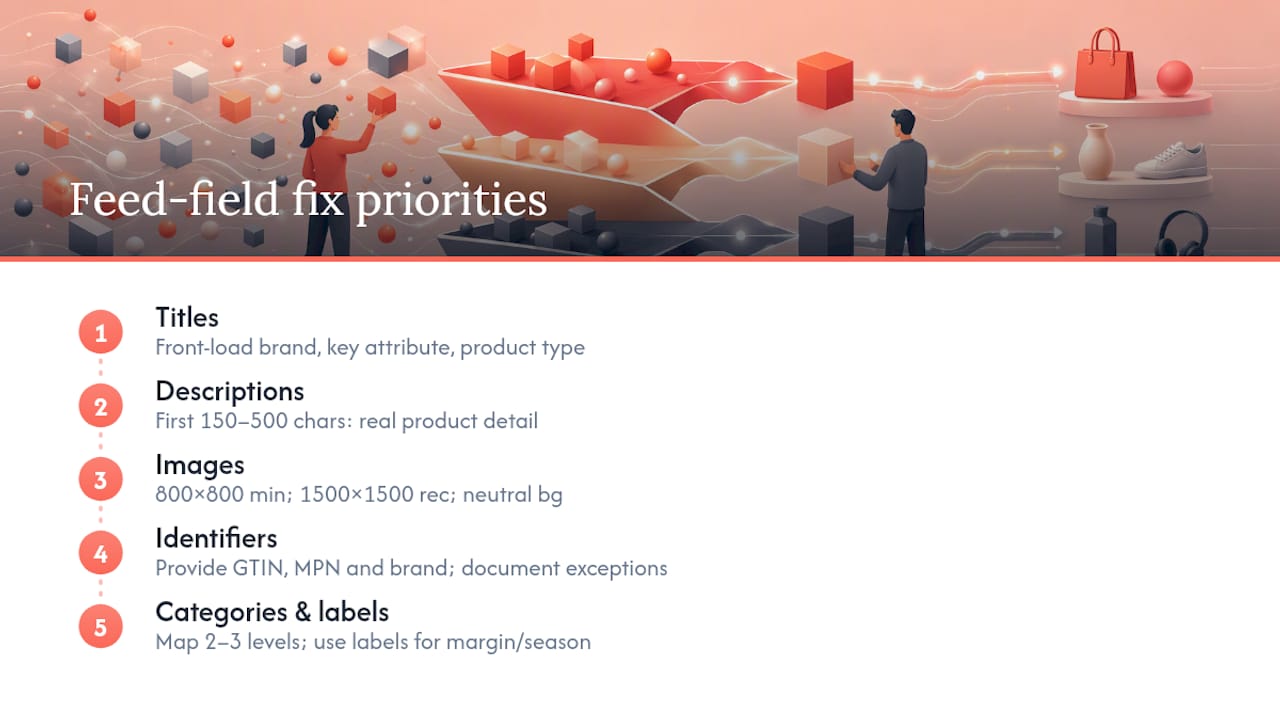
Titles. Front-load brand, then the attribute a shopper searches on (size, colour, model), then the product type. “Nike Air Zoom Pegasus 40 Men’s Running Shoe Black Size 10” beats “Men’s Running Shoe by Nike” every time. Practitioner analysis consistently finds title structure is the single biggest driver of Shopping relevance, so start there before touching anything else.
Descriptions. Front-load the first 150 to 500 characters with real product detail, not marketing copy. Google’s matching systems and shoppers both skim the opening; burying the material and dimensions under a paragraph of brand voice does nothing for either.
Images. Aim for 800×800 pixels minimum, with 1500×1500 recommended for richer placements, and use a neutral background for anything that isn’t apparel. Use additional_image_link to show variants or the product in context, since image quality and completeness materially affect buyer confidence. Disapprovals often trace back to watermarks, promotional text overlays, or stock photos that don’t match the actual product.
Identifiers. GTIN, MPN and brand aren’t optional extras. They’re how Google matches your product against manufacturer data to unlock richer Shopping listings. If a SKU genuinely has no GTIN (private label, custom-made), document the exception rather than leaving the field blank and hoping.
Categories and labels. Map google_product_category two to three levels deep rather than guessing at an overly specific leaf category. Google itself notes that conservative, validated mapping outperforms over-specific guesses. Use product_type for your own taxonomy, and custom_label_0 through custom_label_4 to flag margin tier, seasonality or bestseller status, so Smart Bidding can optimise towards profit rather than raw revenue.
Pro Tip: Build one title template per product type, not one per SKU. A template you can apply across 2,000 running shoes beats manually rewriting each listing, and it’s far easier to test and roll back.
How do you audit and prioritise feed fixes?
Work through the feed in the order the risk actually sits, not the order that feels satisfying.
- Eligibility blockers first. Price mismatches between feed and landing page, out-of-stock items still marked available, and policy flags. These stop products showing entirely, and fixing them is usually the fastest win in the whole exercise.
- Identifier coverage. Check what percentage of your catalogue has a valid GTIN, MPN and brand. Gaps here quietly cap competitiveness even when nothing is technically disapproved.
- Titles and categories. Rewrite by template, remap
google_product_category, and only then move to descriptions and images. - Custom labels for high-value SKUs. Flag your best margin and bestselling products so bidding can lean into them.
A simple impact-versus-effort matrix keeps the team honest about where time actually goes:
| Fix | Impact | Effort | When to do it |
|---|---|---|---|
| Price/availability mismatches | High | Low | Immediately |
| Broken or missing images | High | Low | This week |
| GTIN backfill for private label | Medium | High | Ongoing, batched |
| Category taxonomy remap | Medium | Medium | Quarterly review |
| Title template rollout | High | Medium | Next release cycle |
One data point should guide this whole exercise: teams that fix eligibility blockers before touching titles get faster, measurable returns than teams that polish copy on products that were never eligible to show in the first place.
Should you automate feed rules or manage them manually?
Manual edits inside Merchant Center work fine for a catalogue of a few hundred SKUs with infrequent changes. Past that, you need rules doing the heavy lifting.
Merchant Center’s native feed rules handle straightforward transformations: appending brand to a title, stripping HTML from descriptions, mapping a custom attribute into custom_label_0. For anything more layered (conditional logic across categories, GTIN lookups against a manufacturer database, real-time price sync from your ERP) you’re better served by an external feed engine or middleware.
Supplemental feeds are worth building specifically for:
- Overriding a subset of attributes without touching your primary feed.
- Backfilling GTINs as you collect them, rather than waiting to update the master file.
- Applying campaign-specific labels for a promotion without duplicating the whole catalogue.
If you’re evaluating a dedicated platform, a tool like Channable’s feed management platform shows the shape to look for: a rule engine, multi-channel templates, and rollback capability. Whatever you choose, protect price, availability and GTIN from accidental bulk overwrites, and test any new rule on a sample before it hits the full feed.
How do you measure whether feed changes actually worked?
Feed edits are easy to make and surprisingly easy to misattribute. Follow a sequence that isolates cause from effect.
- Take a baseline snapshot. Store a daily export of the feed alongside campaign performance data before you change anything, a practice SKU-level feed analysis strongly recommends precisely because feeds shift constantly and you need a clean “before”.
- Run holdouts, not blanket changes. Split a category, apply the new title template to half, leave the rest untouched, and compare.
- Track impressions, CTR, conversion rate, ROAS and sales per SKU across a window long enough to smooth out day-to-day noise, generally two to four weeks depending on traffic volume.
- Avoid stacking changes. If you update titles and images in the same week, you’ll never know which one moved the number.
What can you expect from a feed optimization engagement?
Feed work runs through four stages: audit, rules, measurement, iterate. The audit surfaces eligibility blockers and coverage gaps first. Rules implementation covers title templates, category mapping and custom label strategy built around margin data. Measurement means baseline snapshots and holdout testing before anything is called a win. Then it repeats, because a feed that’s “optimised” once starts decaying the day new stock arrives.
Typical first 30 to 60 days might include:
- Week one to two: Merchant Center audit and coverage report across identifiers, images and categories.
- Week three to four: rule deployment and title/description rewrite by product type.
- Week five to eight: baseline comparison against pre-engagement performance and adjustment based on early results.
Pro Tip: Ask any agency running your feed work how they measure success before they start. If the answer is “impressions went up,” push for the SKU-level detail behind that number.
Getting feeds ready for what’s coming next
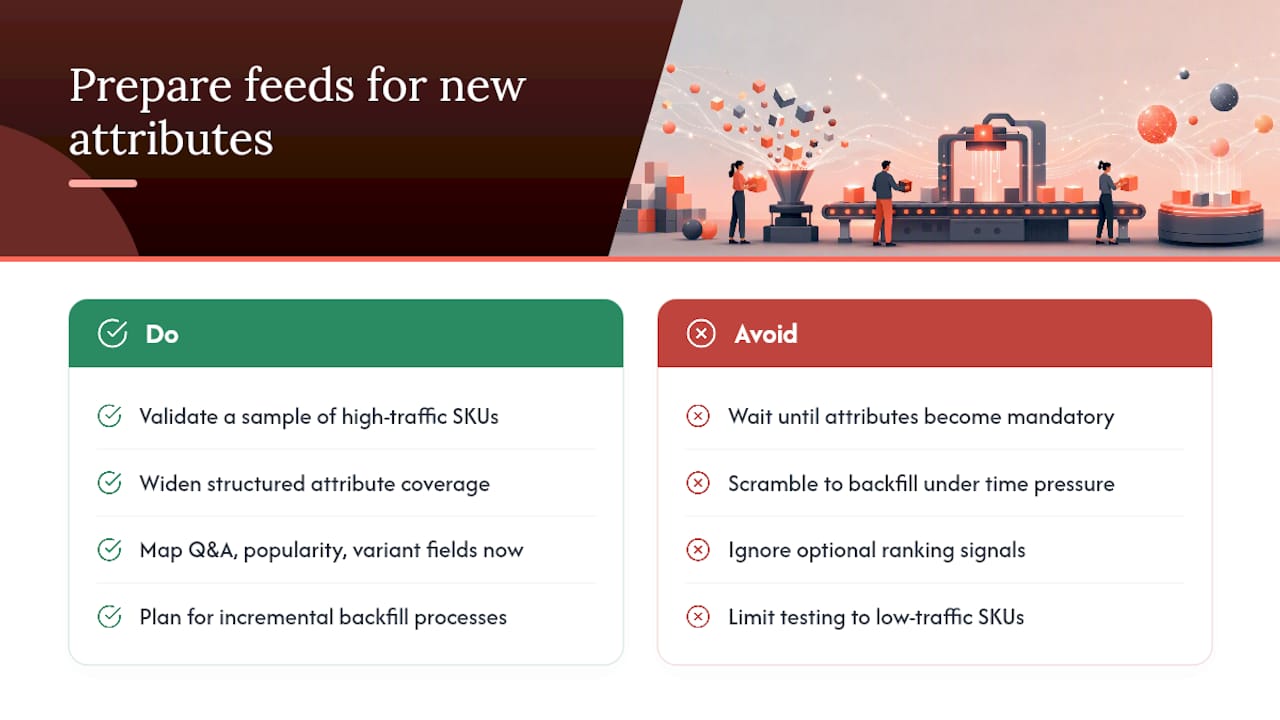
Google has started rolling out optional Merchant Center attributes: Q&A fields, popularity rank and additional variant data. None of these are mandatory yet, but they’re a strong early signal of where matching is headed. The practical move now is to validate a sample of high-traffic SKUs against these new fields and widen your structured attribute coverage generally, so you’re not scrambling to backfill data once they carry more weight in ranking.
Get your feed audited before your next campaign push
You could keep patching titles one SKU at a time, or hand the whole feed to a rules engine and hope nothing breaks on the next sync. A third route is a hands-on audit that finds eligibility blockers, builds title and category rules specific to a catalogue, and ties the work into how campaigns are actually structured, without outsourcing the work to a junior account manager who’s never opened the feed.

That matters because feed work only pays off when it’s connected to campaign strategy rather than treated as a standalone technical task. If your Performance Max campaigns are underperforming and you suspect the feed is the reason, book a workshop with Moormarketing and get a straight answer on where the eligibility gaps actually sit before you spend another dollar testing creative.
Where to go deeper on feed specs and tools
- Google Merchant Center’s product data specification for exact attribute requirements.
- FeedArc’s practical optimisation guide for title and categorisation detail.
- Channable’s feed management platform for rule-engine capability.
- Moormarketing’s guide to Google Ads for ecommerce for how feed quality connects to campaign results.
Sources
- Google Merchant Center product data specification and best practices
- Product Feed Optimization: A Practical Guide | FeedArc
- Product Feed Optimization: Priority Guide | Uplify
- Google Shopping Product Feed Optimization: Complete Guide | SKU Analyzer
FAQ
What does product optimization mean?
In an ecommerce context, product optimization usually means improving how a product is presented across listings, feeds and pages so it’s both eligible to be shown by ad platforms and competitive against similar products in the same search or auction.
How do you optimize product data?
Start by fixing eligibility issues (price mismatches, missing identifiers, policy flags), then rewrite titles using a category-specific template, backfill GTINs and brand, remap categories conservatively, and add custom labels so bidding systems can weight your best-margin SKUs.
What is a product feed in Google Ads?
A product feed is the structured file (submitted through Google Merchant Center) that lists every product’s attributes, including title, price, availability, images and identifiers, and it’s the data source Google Shopping and Performance Max campaigns pull from to decide what to show and to whom.
How can you optimize a product page to match feed improvements?
Make sure the landing page mirrors the feed exactly on price and availability, since a mismatch here causes disapprovals, and keep the page’s product imagery and description consistent with what’s submitted in the feed so shoppers don’t bounce on arrival.
How often should a product feed be updated?
Price and availability should sync at least daily, ideally through an automated feed or API connection, while titles, categories and images warrant a fuller review on a quarterly cycle or whenever your catalogue shifts meaningfully.